Video from Drone in GCS
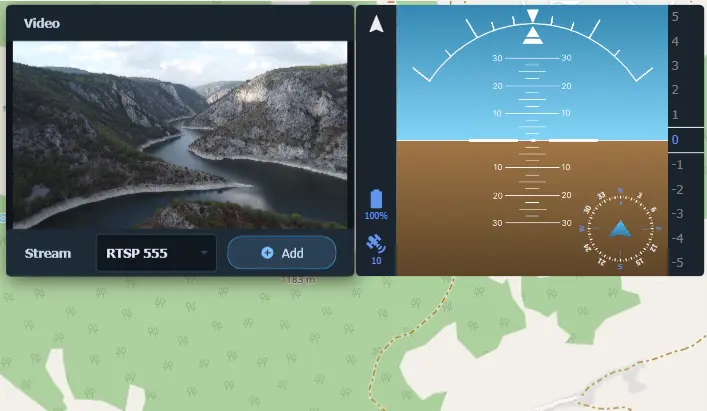
In the latest update of LOGOS GCS, a long-awaited feature has arrived — real-time video feed from your drone directly inside the ground control station interface.
Of course, for FPV pilots, this isn't news. Goggles, screens, receivers — all of that has existed for a long time. But until now, there was no simple way to combine video stream with telemetry, map, and mission management in a single window. Now there is.
Visual Control Is More Than Just "Watching the Picture"
Drone video isn't entertainment. It's a decision-making tool. Especially when you're working on missions where the cost of error is high: power line inspections, construction site monitoring, search and rescue operations.
The built-in video stream in LOGOS GCS gives you:
- Situational awareness — you see exactly what the drone sees. No delays, no guesswork.
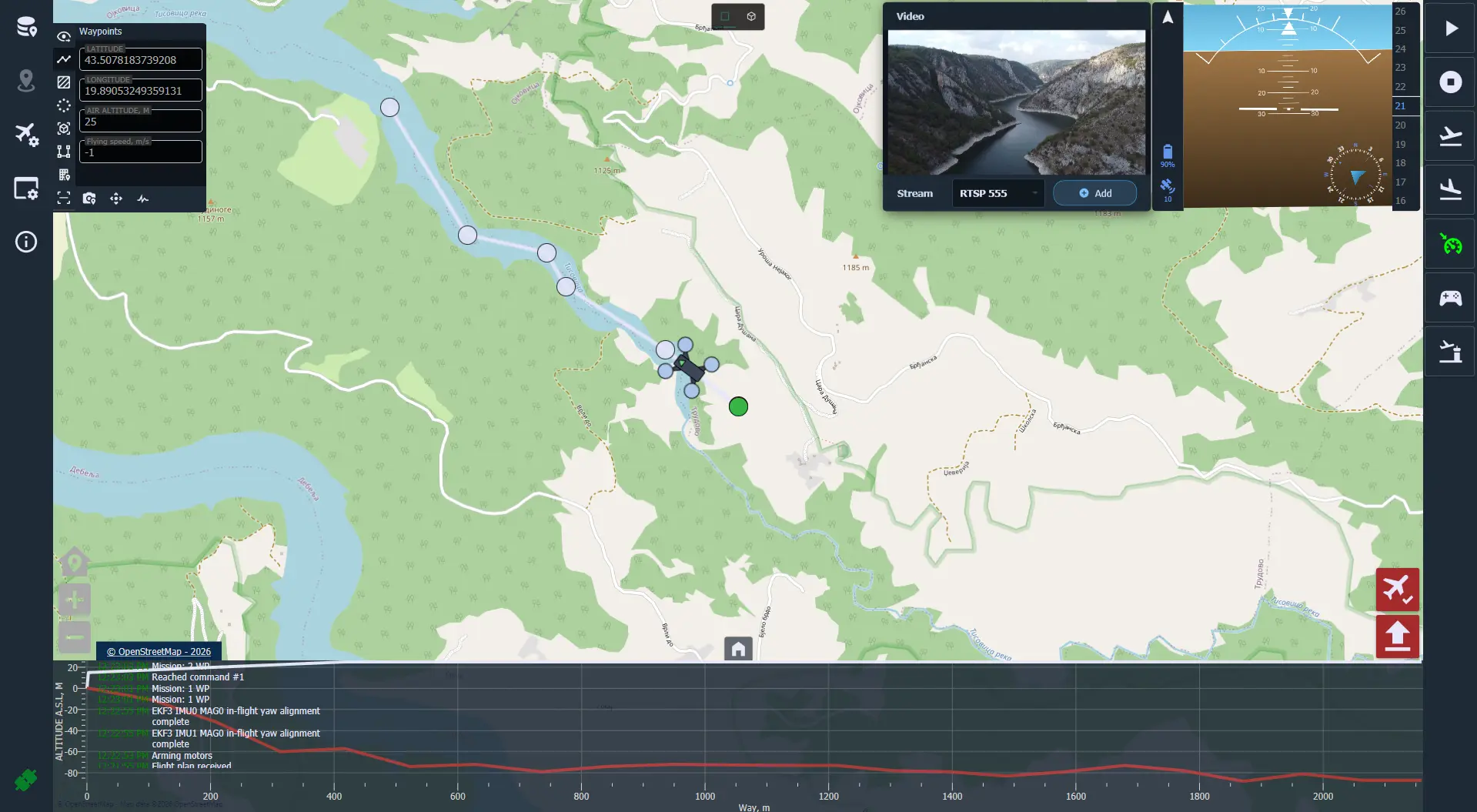
- A unified workspace — telemetry, map, route, and video all in one window. No switching back and forth.
- Recording and analysis — the ability to save video and sync it with flight data for later review.
In essence, this transforms your GCS from a "planning tool" into a full-fledged command center.
How Does It Work?
It's simple. LOGOS GCS supports connection to an RTSP stream — the standard protocol used by most digital video transmitters and cameras.
All you need to do is:
- Make sure your computer is transmitting the received video data as an RTSP stream.
- Enter the stream address in the program settings.
- Enjoy the real-time picture.
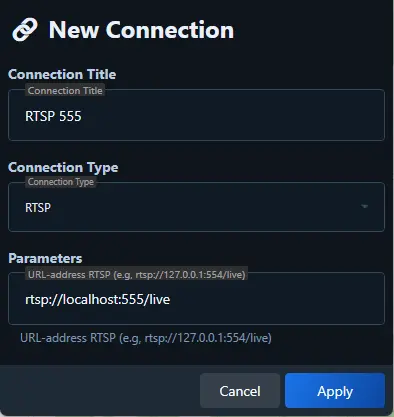
The entire setup takes less than a minute, provided you already have the RTSP address of your equipment.
Why Do You Need This?
If you're using a drone for work — the answer is obvious. The more information you see, the better you control the situation.
If you're a hobbyist or a student — it's just fascinating. Watching your code come to life on a 3D map, while right next to it, in the same window, the real image from the drone's camera moves in real time — this is a whole new level of immersion in the process.
And of course, if you're just getting started and want to build your own drone from scratch — this is a great way to get the most out of your build right away.
Download LOGOS GCS and try it yourself. Everything works out of the box. And if something doesn't go as planned — the documentation and community are always there to help.
Автор статьи